1
Pick a sound
Choose from a colorful set of instrument icons.

MegaMusic gives young music makers a simple, visual way to build a tune. Pick an instrument, place sounds on the staff, and press play.
Designed for kids ages 5–12 and the grown-ups who help them.
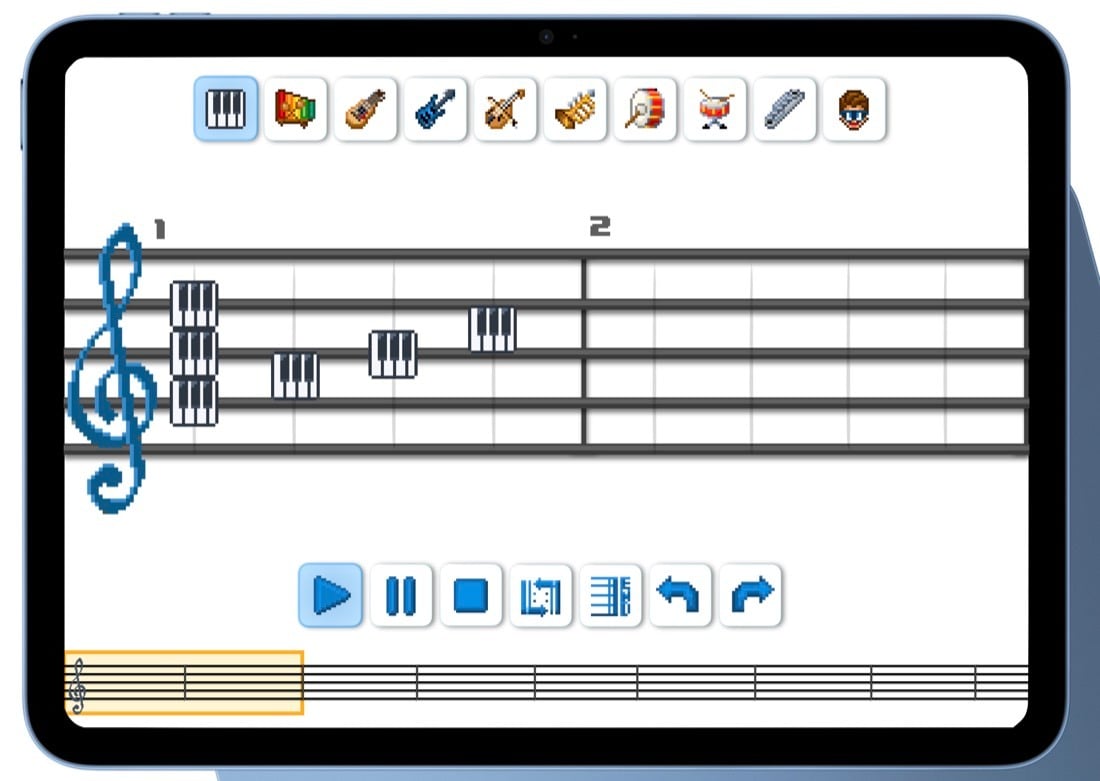
No music-theory lesson required—just tap, listen, and explore.
Choose from a colorful set of instrument icons.
Add sounds visually to build your tune.
Listen, change it, and try something new.
MegaMusic keeps the controls clear so kids can focus on experimenting with sound.
MegaMusic is designed to make musical experimentation approachable for children ages 5–12. Its visual, touch-friendly controls invite kids to try an idea, hear the result, and keep creating.
Need help getting started? Send us a note below and we’ll help.
Parents and caregivers can sign up for occasional news about MegaMusic, including availability and app updates.
For adults only. Children should ask a parent or guardian to sign up.
MegaMusic is designed for children ages 5–12, with simple controls that parents and caregivers can help with when needed.
Choose an instrument, place sounds visually on the staff, and press play. You can listen, undo, and keep experimenting.
Availability details will be posted here when they’re ready. Parents and caregivers can sign up for MegaMusic updates.
Tell us your device, system and app versions if known, what you expected, and what happened. Please don’t send passwords or private information about a child.
Use the support form below or email hullysworld@gmail.com. Support messages are separate from marketing email.
Something not working, or have a question? Send us the details and we’ll get back to you at the email address you provide.
Parents and caregivers can join the update list to hear when there’s MegaMusic news.